QuickBooks Online vs Xero: Which Wins When Inventory Gets Complex?
QuickBooks Online vs Xero: pricing, users, UI, inventory limits. See which fits wholesale and light manufacturing when stock gets complex.
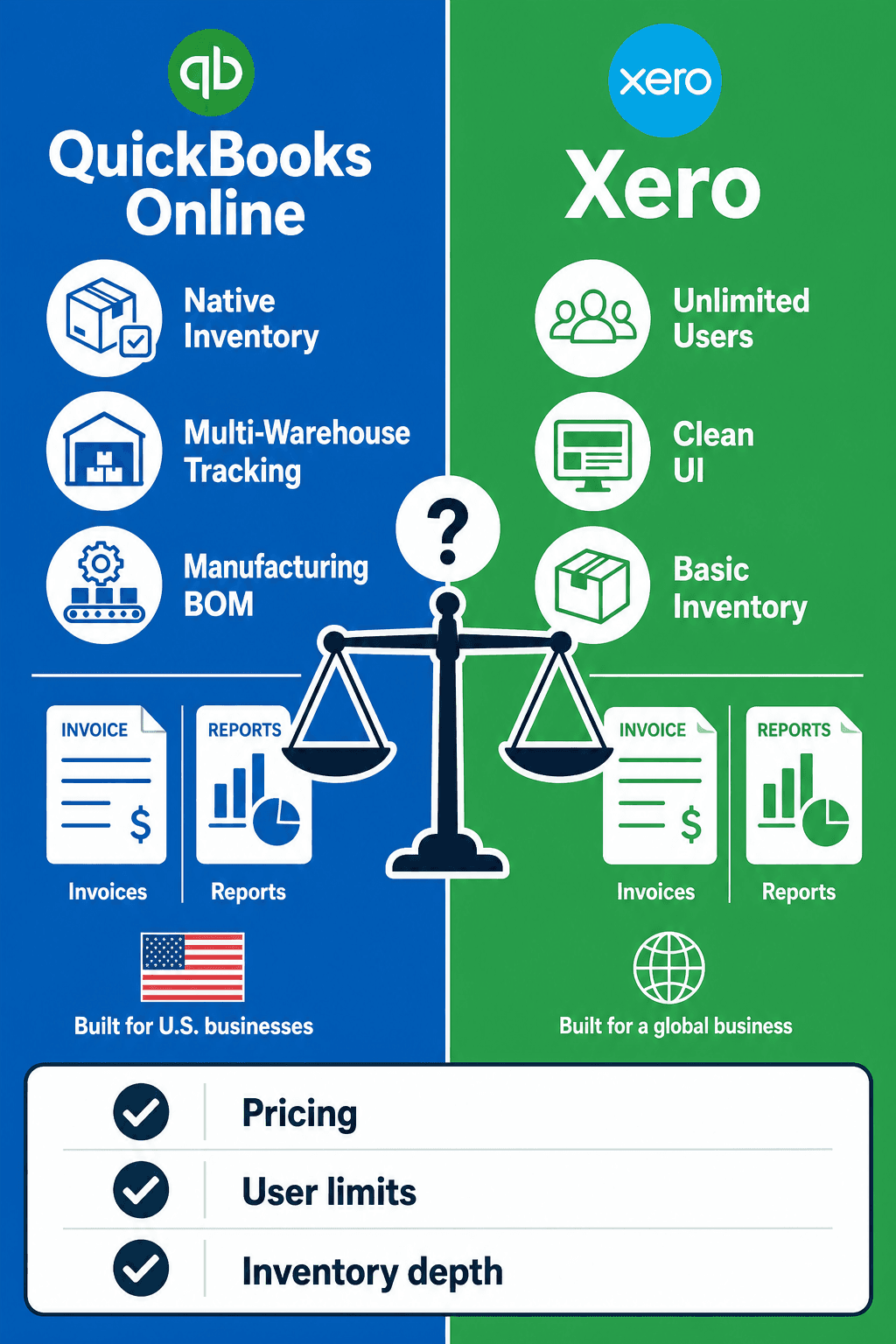
Who this is for
If you run wholesale distribution, imports, or light manufacturing with stock across warehouses and builds, QuickBooks Online and Xero are both strong accounting systems — but their built-in inventory is where the decision gets real. For teams of roughly 20–200 people managing multi-location or multi-country inventory, the question is not “which ledger looks nicer?” It is whether native stock tools can keep purchase orders, sales, and production in step — or whether you keep QBO or Xero for the books and add a dedicated inventory and light manufacturing layer.
This guide compares QuickBooks Online vs Xero on pricing, users, UI, support, integrations, and — most importantly — inventory depth for complex operations. You’ll see where each platform wins, where both fall short, and how AssetBlaze sits alongside either system without replacing your accountant’s workflow.
Quick takeaway
| Question | Short answer |
|---|---|
| Best for accounting + basic stock | Both work; pick on team size, UI preference, and plan limits |
| Best when warehouses and builds matter | Neither is enough alone for complex inventory |
| QBO edge | Deeper U.S. ecosystem, native inventory on Plus/Advanced, strong reporting path |
| Xero edge | Unlimited users (no per-user license fees), clean UI, strong multi-currency on higher plans |
| Practical path for wholesale / light mfg | Keep QBO or Xero for accounting; run inventory, BOM, and work orders in a dedicated system |
Verdict in one line: Choose QuickBooks Online or Xero for how you want to run the books; choose dedicated inventory software when stock across locations and production costing stop fitting “basic item tracking.”
At-a-glance comparison
| Dimension | QuickBooks Online | Xero (US) |
|---|---|---|
| Best suited for | U.S. teams already in the Intuit ecosystem | Teams that want unlimited users and a streamlined ledger |
| Users (list plans) | 1 / 3 / 5 / 25 by plan | Unlimited users; no per-user license fees |
| U.S. list pricing (Sep 2026) | $38–$340/mo | $25–$90/mo (rises Oct 1, 2026) |
| Native inventory | Plus & Advanced (add-on for lower plans) | Basic inventory on plans; Inventory Plus is a US add-on for Growing/Established |
| Multi-warehouse quantity | Not true warehouse stock quantities (class/location ≠ on-hand by warehouse) | Not in core inventory; multi-location is an Inventory Plus capability, not native basic inventory |
| BOM / manufacturing | Bundles ≠ manufacturing BOM or work orders | No native BOM / routings / work orders |
| Barcodes | Not a native QBO inventory strength | Not a native Xero inventory strength |
| Inventory lens for 20–200 employee wholesalers | Fine for simpler SKUs; thin for multi-site builds | Same — accounting-first, inventory-second |
What is QuickBooks Online? (inventory lens)
QuickBooks Online (QBO) is Intuit’s cloud accounting platform: invoicing, expenses, bank feeds, reporting, and — on higher plans — product and inventory tracking. For wholesale and light manufacturing, QBO is usually the system of record for revenue, COGS, and inventory asset accounts.
Strengths when you care about stock across warehouses and builds:
- Native inventory on Plus and Advanced — track quantities, costs, and COGS without a separate “inventory app” for simpler catalogs.
- Familiar U.S. accountant ecosystem — many controllers and bookkeepers already know QBO workflows, which matters when inventory postings must reconcile cleanly.
- Plan ladder for growth — Advanced raises user caps and automation for larger finance teams.
- Solid sales/purchasing documents — invoices, bills, and item-based transactions that can reflect stock movements for basic buy–sell businesses.
Inventory reality check: QBO class and location tracking help with reporting dimensions. They are not the same as live quantity by warehouse. Bundles are not manufacturing BOMs, assemblies, routings, or work orders. If you need production costing, barcode receiving, or AI-assisted reorder across sites, you will outgrow QBO’s built-in inventory.
What is Xero? (inventory lens)
Xero is a cloud accounting platform popular for clean bank reconciliation, unlimited users on its plans, and a modern interface. In the U.S., Early / Growing / Established cover most SMB finance needs; inventory tracking is available at a basic level, with Inventory Plus offered as a U.S. add-on on Growing and Established for capabilities such as multi-location and FIFO-oriented workflows.
Strengths when you care about stock across warehouses and builds:
- Unlimited users — operations, purchasing, and finance can share the ledger without stacking per-user license fees.
- Clear, fast day-to-day UI — useful when warehouse or purchasing leads occasionally need to check invoices and bills.
- Multi-currency on higher plans — relevant for importers and multi-country selling (plan-dependent).
- Basic inventory on plans — enough for simple SKUs and invoice/bill line items tied to items.
Inventory reality check: Core Xero inventory is accounting-friendly, not warehouse-execution-friendly. Do not assume native barcodes, manufacturing BOMs, or full warehouse operations without add-ons or third-party tools. Inventory Plus expands certain inventory capabilities for Growing/Established in the U.S.; it still is not a substitute for light manufacturing (routings, work orders, production costing) or wholesale-grade supplier catalog workflows.
Side-by-side: what matters for inventory-heavy teams
Invoicing and purchasing documents
Both platforms handle invoices and bills well enough for wholesale finance. The inventory question is whether document posting reflects real stock by location and true product cost after builds.
| Need | QBO | Xero |
|---|---|---|
| Customer invoices & vendor bills | Strong | Strong (Early caps invoices/bills) |
| Item lines that affect stock | Yes on inventory-enabled plans | Yes with inventory items |
| Reflect warehouse picks / transfers | Limited / not true multi-warehouse qty | Core: limited; Inventory Plus adds multi-location-oriented features |
| Reflect manufactured cost from BOM | No native manufacturing BOM | No native manufacturing BOM |
Xero Early (U.S.) limits you to roughly 20 invoices and 5 bills — a non-starter for most wholesalers. Growing and Established remove that ceiling for practical wholesale volume.
Users and access
| QuickBooks Online | Xero (US) | |
|---|---|---|
| User model | Plan-capped users | Unlimited users; no per-user license fees |
| Typical inventory implication | Ops + finance may fight for seats on lower plans | Easier to give purchasing/warehouse visibility into the books |
For a 20–200 employee distributor, Xero’s unlimited users often feel more flexible. QBO Advanced (25 users) closes much of that gap for larger finance/ops teams — at a higher list price.
Pricing (U.S. list prices as of September 2026)
QuickBooks Online — U.S. list $/month
| Plan | List price | Included users | Inventory note |
|---|---|---|---|
| Simple Start | $38 | 1 | Native inventory not included; inventory add-on ~$40/mo |
| Essentials | $85 | 3 | Same — inventory via add-on (~$40/mo) |
| Plus | $140 | 5 | Native inventory included |
| Advanced | $340 | 25 | Native inventory included |
Promo (separate from list): QBO often offers 50% off for 3 months for new subscriptions. Confirm current promo terms on Intuit’s site before budgeting.
Xero US — list $/month
| Plan | List (through Sep 2026) | From Oct 1, 2026 | Notes |
|---|---|---|---|
| Early | $25 | $27 | ~20 invoices / 5 bills — usually too limited for wholesale |
| Growing | $55 | $59 | Unlimited invoices/bills; basic inventory; Inventory Plus add-on available (US) |
| Established | $90 | $97 | Higher analytics/multi-currency features; Inventory Plus add-on available (US) |
Promo (separate from list): Xero has advertised roughly 90% off for 6 months for eligible new U.S. customers (timing historically ending around 30 Sep 2026). Confirm live offer dates and codes before you buy — promo pages change. List prices rise on October 1, 2026 as shown above.
Inventory Plus: Available in the U.S. as an add-on to Growing or Established (multi-location, FIFO-oriented capabilities, and related inventory features). We are not listing a dollar price here; check Xero’s current U.S. pricing page for the live add-on rate.
UI and day-to-day feel
- QBO: Feature-dense; powerful once learned; can feel heavy for warehouse or purchasing staff who only need stock truth.
- Xero: Generally cleaner for everyday bookkeeping; still not a warehouse UI.
Neither UI replaces barcode receiving, transfer workflows, or shop-floor work orders.
Support
Both offer help centers, community resources, and paid support tiers that vary by plan and region. For inventory-heavy ops, support quality on accounting questions is usually fine; support for warehouse exceptions, BOM variances, and multi-site shortages is where dedicated inventory software matters more than which ledger you chose.
Integrations
QBO and Xero both have large app ecosystems. That is useful — and also a warning sign: many “inventory” apps bolt onto either ledger because native inventory is intentionally basic. Evaluate integrations on whether they support multi-location quantity, PO/SO workflows, and manufacturing — not on raw app-store counts (those change constantly and are easy to overclaim).
Native inventory depth
| Capability | QBO native | Xero native / add-on |
|---|---|---|
| Track item qty & basic COGS | Plus/Advanced (or add-on) | Basic on plans |
| Multi-location stock quantities | No (class/location ≠ warehouse qty) | Inventory Plus (US Growing/Established) — not core basic inventory |
| FIFO costing options | Plan/feature dependent; not a full WMS | Inventory Plus positioning includes FIFO-oriented inventory — verify on Xero |
| Barcodes | Not a native QBO claim | Not a native Xero claim |
| BOM / assemblies for manufacturing | Bundles ≠ manufacturing | No native BOM |
| Work orders / routings / production costing | No | No |
| AI reorder / supplier catalog import | No | No |
What “complex inventory” means (short definition)
Complex inventory is stock that must stay accurate across multiple locations or countries, with purchasing lead times, partial receipts, and often light manufacturing (BOMs, work orders, and production costing) — not just a single on-hand number on an invoice line.
If your team argues about which warehouse can ship, what a build actually cost, or when to reorder from which supplier, you are already in complex-inventory territory.
5 signs you’ve outgrown built-in inventory
- You cannot trust on-hand by warehouse — finance sees one number; shipping sees another.
- Transfers and partial receipts create cleanup work every week.
- Bundles or kits are pretending to be BOMs — and production cost is guesswork.
- Reorder is spreadsheet-driven despite living in QBO or Xero.
- Barcode receiving / picking is a side process (or nonexistent), so counts drift.
Where both fall short for inventory-heavy operations
QuickBooks Online and Xero are accounting platforms first. For wholesale distributors, importers, and light manufacturers, the shared gaps show up the same way: stock truth and production cost live outside the ledger.
| Gap | Why it hurts warehouses & builds | QBO | Xero |
|---|---|---|---|
| True multi-warehouse quantities | Wrong site ships; expedites and write-offs | Class/location ≠ warehouse qty | Core weak; Inventory Plus helps some multi-location needs |
| BOM + work orders | Builds consume components incorrectly | No native mfg BOM/WO | No native mfg BOM/WO |
| Production costing | Margin reports lie after assemblies | Not a manufacturing cost engine | Not a manufacturing cost engine |
| Barcodes | Slow receive/pick; count errors | Not native | Not native |
| AI-assisted reorder | Stockouts or overstock across sites | Not native | Not native |
| Supplier catalog import at scale | Purchasing stuck in email/CSV | Limited for wholesale catalogs | Limited for wholesale catalogs |
| Routings / light manufacturing execution | Shop floor disconnected from books | Outside QBO’s lane | Outside Xero’s lane |
Primary CTA: If those gaps sound familiar, keep your ledger — and put inventory + light manufacturing where they belong. Explore AssetBlaze or estimate fit with the calculator.
Pros and cons (inventory-weighted)
QuickBooks Online
Pros
- Native inventory on Plus/Advanced without a separate add-on decision for many teams
- Deep U.S. accountant familiarity and reporting habits
- Advanced plan scales users for larger finance teams
Cons
- Per-plan user caps can constrain ops access on mid-tier plans
- Not true multi-warehouse quantity tracking
- No native manufacturing BOM, work orders, or barcode-first warehouse flows
Xero
Pros
- Unlimited users (no per-user license fees) — helpful for cross-functional access
- Clean UI; strong day-to-day bookkeeping experience
- Inventory Plus (US Growing/Established) extends multi-location / FIFO-oriented inventory beyond basics
Cons
- Early plan invoice/bill caps block most wholesale use
- Core inventory still accounting-first
- No native manufacturing BOM, routings, or production execution
Which should you choose? (by scenario)
Wholesale distribution
- Lean toward QBO Plus/Advanced if your finance team is already Intuit-native and catalog complexity is moderate.
- Lean toward Xero Growing/Established if many non-finance users need ledger access and you value unlimited users.
- Either way: for multi-location wholesale — transfers, supplier lead times, and warehouse truth — plan on a dedicated inventory system for wholesale distribution, not native tools alone.
Light manufacturing
Neither QBO nor Xero replaces BOM management, work orders, routings, or production costing. Choose the ledger your accountant prefers, then run builds in a manufacturing-aware inventory layer / light manufacturing inventory.
Multi-location / multi-country inventory
- QBO: Use locations/classes for accounting dimensions; do not confuse them with warehouse on-hand.
- Xero: Evaluate Inventory Plus carefully for U.S. multi-location needs — then still ask whether purchasing, barcodes, and manufacturing are covered.
- Importers: Prioritize multi-currency (plan-dependent), landed-cost discipline, and PO workflows (purchase orders) over which logo is on the login screen.
Mini table: can QBO / Xero do X?
| “Can it do…?” | QuickBooks Online | Xero |
|---|---|---|
| Basic item quantities & COGS | Yes (Plus/Advanced or add-on) | Yes (basic inventory) |
| Invoice/bill with items | Yes | Yes (watch Early limits) |
| True qty by warehouse | No | Not in core; Inventory Plus addresses multi-location (US) |
| Native barcodes | No | No |
| Manufacturing BOM / work orders | No | No |
| Production costing / routings | No | No |
| AI reorder & supplier catalog import | No | No |
| Stay as system of record for GL | Yes | Yes |
How AssetBlaze fits (honest sync claims)
AssetBlaze is an inventory + light manufacturing layer designed to sit alongside QuickBooks Online or Xero. You keep accounting in QBO or Xero. AssetBlaze owns stock across locations, purchasing execution, and builds — then pushes the financial outcomes into the ledger.
What the QuickBooks & Xero integration actually does:
- Native connections to QuickBooks Online and Xero (not Desktop).
- One-way sync: AssetBlaze → accounting. Nothing is pulled back from QBO/Xero as inventory truth.
- One provider at a time — connect QBO or Xero, not both simultaneously.
- Synced objects: customers, suppliers, and items; sales orders → invoices; purchase orders → bills.
- People sync automatically on create/edit (customers & suppliers).
- Orders are a manual push when finalized (not auto-pushed on every draft or every edit).
- Account mapping for Income, COGS, and Inventory Asset before sync is enabled.
What we do not claim: bi-directional sync, auto-sync of every PO/sale, pulling stock quantities from QBO/Xero, QuickBooks Desktop, or running QBO and Xero together.
That design keeps the ledger clean while AssetBlaze handles the hard parts: multi-location stock, barcodes, BOM/work orders, production-aware costing, smarter reorder, and supplier-oriented purchasing workflows.
Secondary CTA: Prefer numbers over features? Try the AssetBlaze calculator.
If you are comparing inventory platforms more broadly, see AssetBlaze vs inFlow — then come back to the accounting choice: QBO or Xero stays either way.
FAQ
Is QuickBooks Online or Xero better for wholesale inventory?
Neither wins on complex wholesale inventory alone — both are accounting-first. QuickBooks Online Plus/Advanced and Xero Growing/Established can track basic item quantities for simpler catalogs. For multi-warehouse stock, purchasing at scale, and reliable on-hand by site, wholesalers typically keep QBO or Xero for the books and run inventory in a dedicated system.
Does QuickBooks Online support multi-warehouse inventory quantities?
No — QBO class and location tracking are not the same as quantity on hand by warehouse. You can segment reporting, but that does not give warehouse-accurate stock for transfers, picks, and site-level shortages. Teams that need true multi-location quantities usually add inventory software beside QBO.
Does Xero have native BOM, barcodes, and manufacturing work orders?
No — Xero does not provide native manufacturing BOMs, barcode warehouse execution, or work-order routings. Basic inventory (and, in the U.S., Inventory Plus on Growing/Established for certain multi-location/FIFO-oriented needs) still leaves light manufacturing and shop-floor execution to specialized tools.
How does AssetBlaze sync with QuickBooks Online and Xero?
AssetBlaze connects natively to QuickBooks Online or Xero with one-way sync from AssetBlaze into accounting. Customers and suppliers sync on create/edit; items sync as part of catalog mapping; finalized sales orders push as invoices and purchase orders as bills when you push them. You map Income, COGS, and Inventory Asset accounts, and you can connect only one accounting provider at a time. Details live in the integration help article.
What does QuickBooks Online vs Xero cost in the U.S. (September 2026)?
U.S. list prices as of September 2026: QBO runs about $38–$340/month by plan; Xero US list is $25–$90/month before the October 1, 2026 increase to $27/$59/$97. QBO often promotes 50% off for three months; Xero has run deep new-customer promos (commonly framed around 90% for six months with an end date near 30 Sep 2026) — treat promos as separate from list and verify live terms. Inventory features may require QBO Plus/Advanced (or an inventory add-on) and, on Xero, possibly Inventory Plus for Growing/Established in the U.S.
When should a light manufacturer keep QBO or Xero and add AssetBlaze?
When builds, BOMs, and multi-location stock are driving errors that the ledger cannot fix. If your accountant is productive in QBO or Xero, keep that system as the financial source of record. Add AssetBlaze when you need inventory and light manufacturing workflows — then push invoices and bills into accounting instead of forcing the ERP-of-everything myth into a bookkeeping tool.
Choose the ledger. Own the stock.
QuickBooks Online vs Xero is a real choice for invoicing, users, pricing, and UI — and a much smaller difference once inventory gets complex. For wholesale, imports, and light manufacturing across locations, both platforms leave the same holes: warehouse-true quantities, barcodes, BOM/work orders, production costing, and smarter replenishment.
Keep QuickBooks Online or Xero for accounting. Put inventory and light manufacturing in AssetBlaze — with honest, one-way sync into the books when orders are finalized.
Get started with AssetBlaze · Run the calculator · Manufacturing · Wholesale inventory
Pricing cited as U.S. list prices as of September 2026; promotions labeled separately and subject to change. Feature availability varies by plan, region, and vendor updates — verify on QuickBooks and Xero before purchase.