

Inventory and light manufacturing software for growing businesses
Real-time inventory visibility for distributors, wholesalers, and manufacturers managing 1,000+ SKUs across multiple locations. No ERP complexity. One accurate stock record your whole team works from.
Free plan, no card needed. Set up in 48 hours.
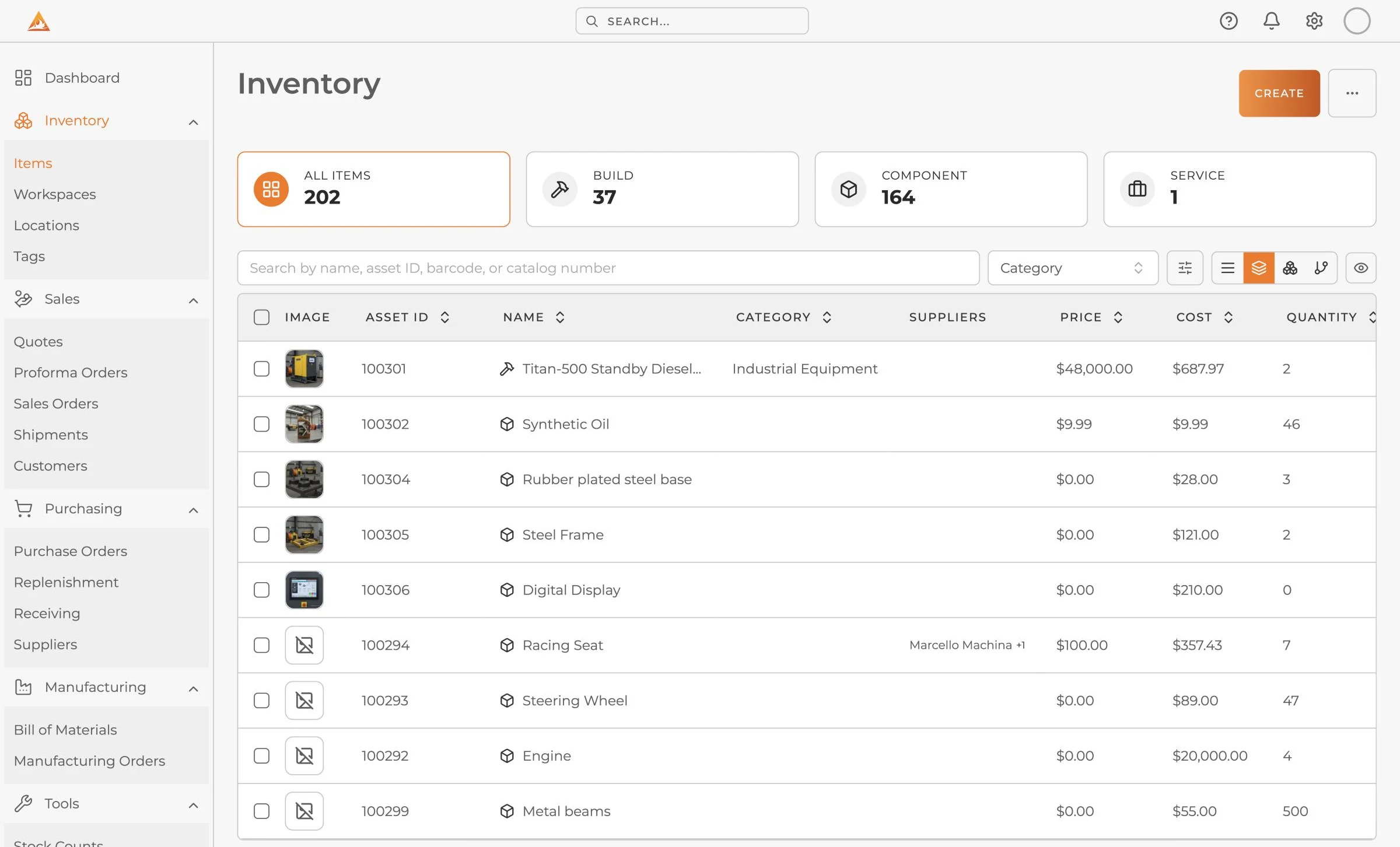
One system.
For everything you do with stock.
One record per item across every warehouse and store, with quantities split into total, available, reserved and on order. Change it anywhere and it updates everywhere.
- Multi-location stock
- Stock transfers
- Stock counts
- Low stock alerts
- Barcode scanning
- CSV and XLSX import
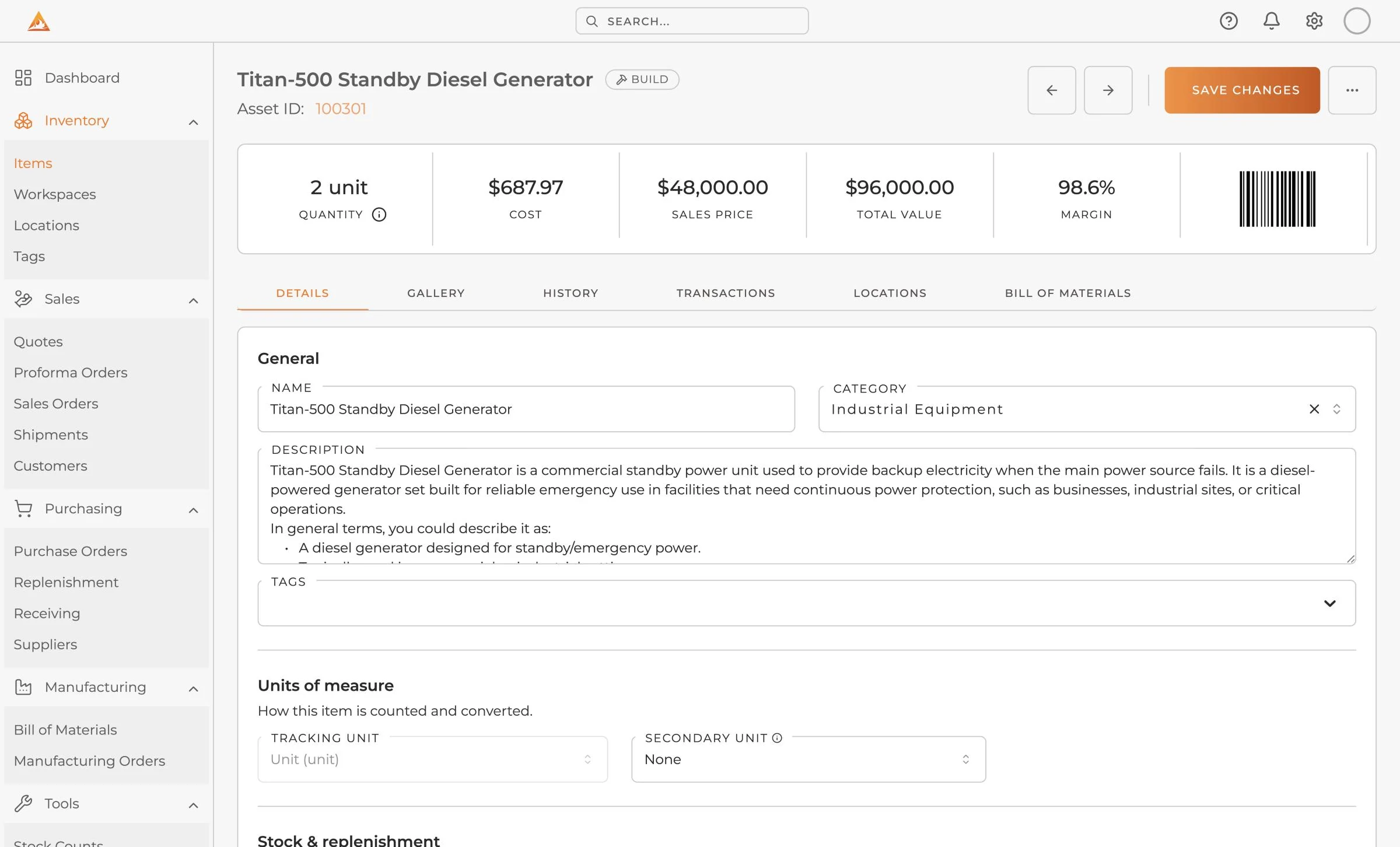
Book what you have ordered against a supplier and a date. Stock shows as on order, so nobody reorders what is already on a truck.
- Purchase orders
- Supplier catalogs
- Partial receiving
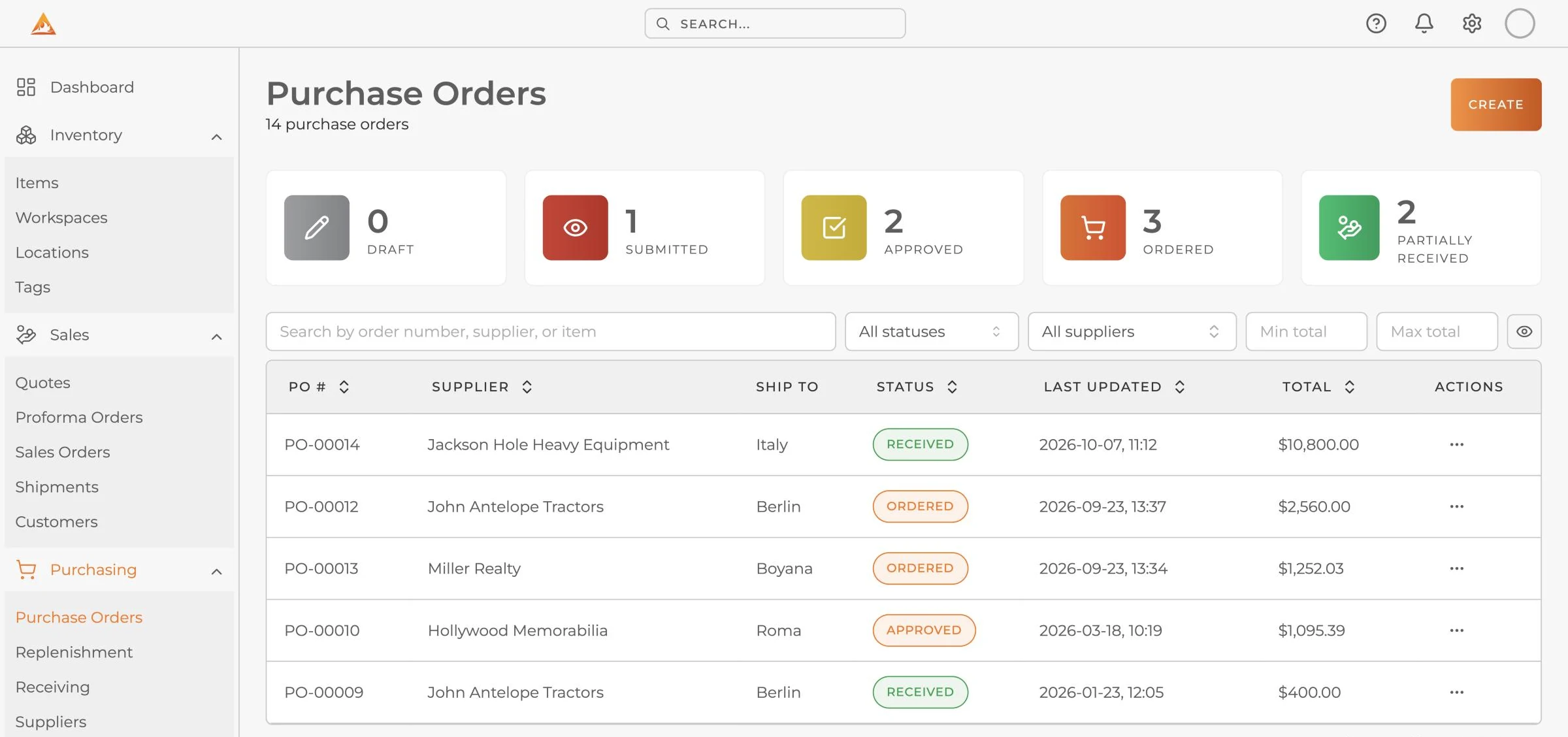
Commit stock to a customer before it leaves the building. Reserved stock is held apart from available, so the same unit is never sold twice.
- Sales orders
- Invoices
- Payment status
- Reserved stock
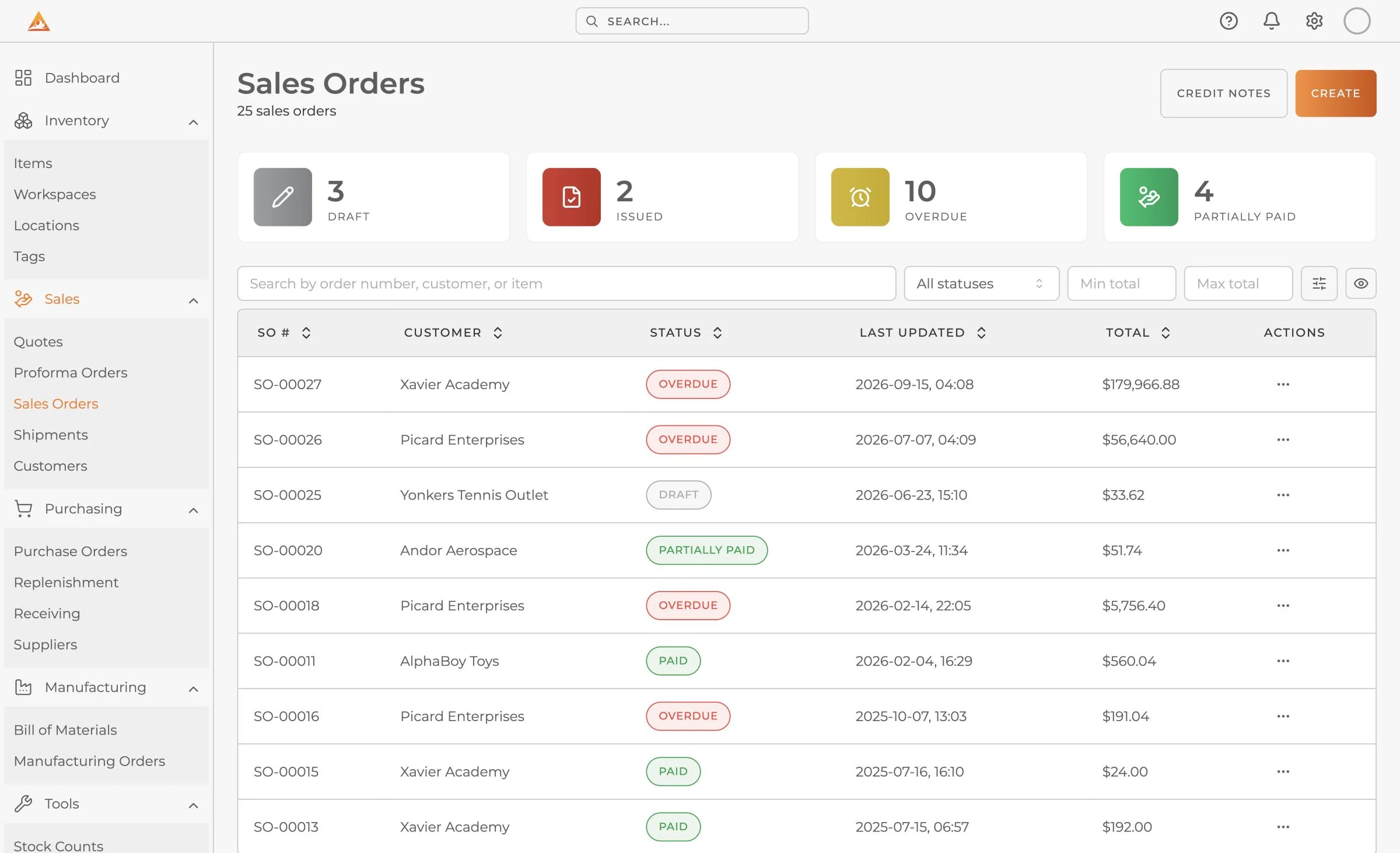
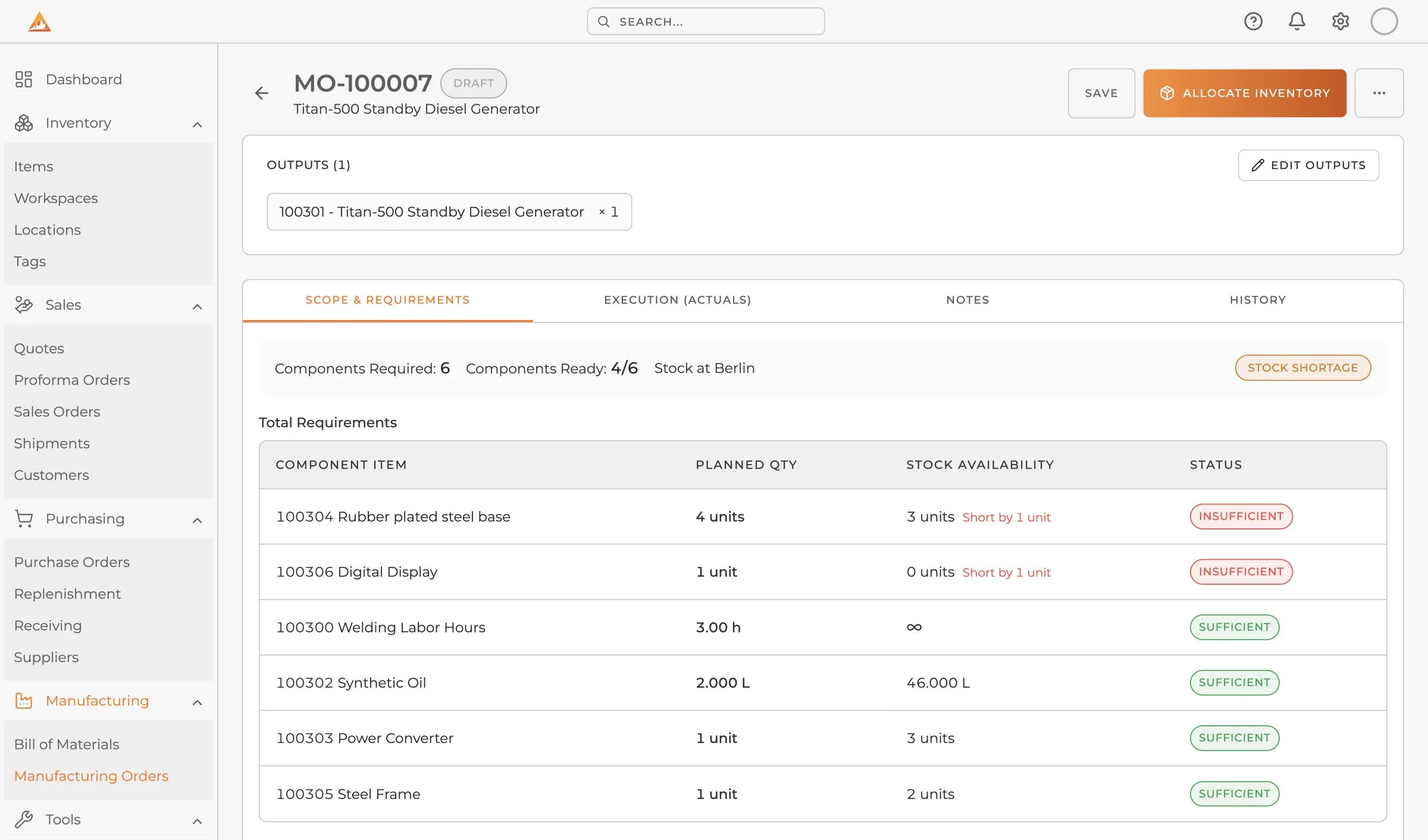
Build from bills of materials on the same inventory. Component stock is checked before you start, and finished items go straight back into your count.
- Bills of materials
- Manufacturing orders
- Component shortfalls
- Serials and batches
Three ways to stay ahead of your stock
See what you have at a glance
Every item shows what is on hand, what is reserved and what is free to sell, in total and at each location.
Count stock with your phone
Walk the shelves with the AssetBlaze mobile app. Scan a barcode, enter what you counted and the app moves on to the next item. When you finish, send the count for review.
Reorder before you run out
Our smart replenishment engine works out what each location is short of, skips anything already on order and rounds up to your supplier's pack size. It also spots when moving stock beats buying more. You review the result and confirm.

Add the manufacturing module when you need it
Manufacturing is an optional module that uses the same inventory. A build consumes real component stock and the finished item goes straight back into your count, so there is no second system to reconcile.
- Bills of materials. What each product is made of, how many of each part, wastage and estimated cost.
- Manufacturing orders. Component stock is checked before a build starts, and any shortfall is named.
- Serials and batches. Track finished items by serial number or batch, with labels printed on completion.

Titan-500 Standby Generator
Manufacturing order, building 14
- Heavy Duty Anti-Vibration Mounts56 planned, 50 in stockShort by 6
- 4x4 Steel Box Tubing560 planned, 665 in stock
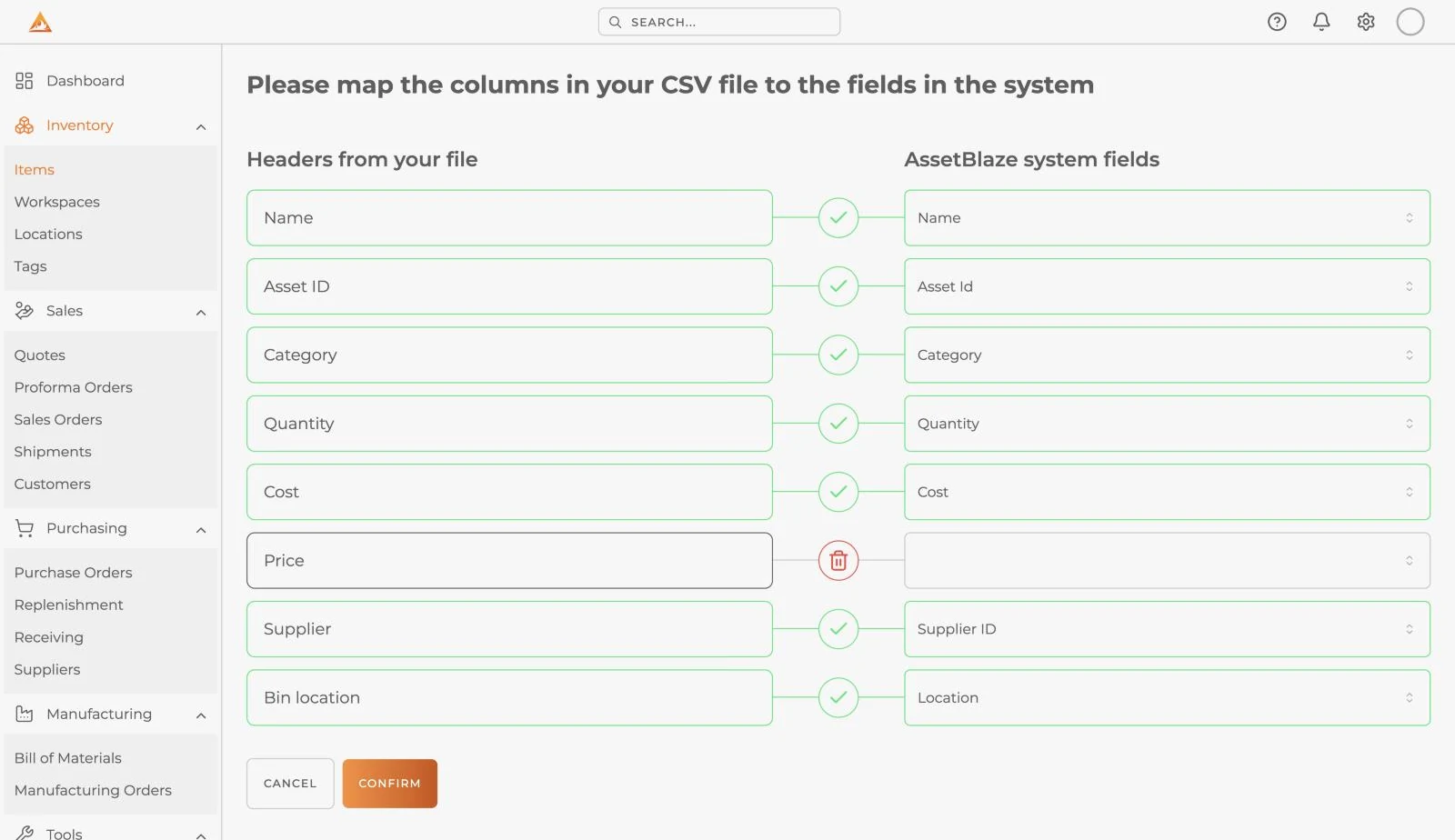
Send us a spreadsheet. We do the rest.
You do not have to do the import yourself. Setup takes 48 hours.
- Send us your fileA CSV, an XLSX or a QuickBooks export, in whatever shape it is already in.
- We load itWe match your columns to AssetBlaze and load items, quantities, locations and suppliers.
- Start workingSign in to a system already filled with your own data.
Your stock and your books, on the same numbers
Orders, invoices, suppliers, customers and tax all sit on the same data as your stock. The cost of what you sold is the cost of what actually left the shelf.
- Purchase orders, sales orders and invoices
- One record for each customer and supplier
- Tax rates on purchase and sales documents
- FIFO, LIFO or weighted average costing, per item
Two-way sync with QuickBooks and Xero
Connect once. Your records go to your books, and payments entered there come back to the order, so your accountant is not retyping what the warehouse already entered.
 AssetBlaze
Records
Payments
Sent to your books
- Customers
- Vendors
- Items
- Invoices
- Bills
- Journal entries
Back to AssetBlaze
Invoice payments
Ask about your accounting softwareBuilt to connect to everything else
Connect AssetBlaze to your own systems and your AI tools.
A real API
Read and update items, orders and stock from your own systems. Our own mobile apps use the same published API.
- 86 endpoints
- API key or JWT
- Outbound webhooks
GET /api/v1/items?q=steel&minQuantity=1
Authorization: Bearer <api-key>

200 OK
{
  "data": [{
    "id": "100025",
    "name": "4x4 Steel Box Tubing",
    "quantity": { "total": 665,
                  "available": 105,
                  "reserved": 560 }
  }]
}Or let an AI agent do the asking
Connect Claude or any MCP client to read your inventory and draft work in your own words. Nothing an agent drafts goes out until a person approves it.
- Claude
- ChatGPT
- Gemini
you   Can we start the Titan-500 build?

      → check_production_readiness

ab    Short by 6. Heavy Duty Anti-Vibration
      Mounts: 50 on hand against 56 planned.

you   Draft a purchase order to cover it.

      → draft_purchase_order

ab    Draft PO created. Nothing is sent to
the vendor until a person approves it.Businesses running on AssetBlaze
An international certification laboratory
Several sites working from one stock record.
An Italian agricultural trailer manufacturer
Builds to order, so bills of materials and stock have to agree.
Want to hear it from them? Ask us for an introduction
Everything in AssetBlaze.
All connected.
Every feature works from the same records, so your stock, orders and money stay in step.
Stock
- Multi-location stock
- Stock transfers
- Stock counts
- Low stock alerts
- Barcode and QR scanning
- Lots and serial numbers, with Manufacturing
- Item variants
- Units of measure
- FIFO, LIFO and average cost
Buying
- Purchase orders
- Supplier records
- Supplier catalogs
- Goods receiving
- Partial receiving
- Smart replenishment
- Reorder levels by location
Selling
- Quotes
- Proforma orders
- Sales orders
- Invoices
- Shipments
- Credit notes
- Reserved stock
- Customer records
- Tax rates
- B2B ordering portal
Making
- Bills of materials
- Manufacturing orders
- Component shortfalls
- Wastage
- Estimated build cost
- Serials and batches on builds
- Printable labels
Insight
- Reports
- Dashboards
- Global search
- Custom fields
- Categories and tags
- Workspaces
Team
- Roles and permissions
- Location-based access
- Audit trail
- Single sign-on
- 7 languages
- Mobile app
- Real-time cloud data
Connect
- QuickBooks two-way sync
- Xero two-way sync
- REST API
- MCP
- Webhooks
- CSV and XLSX import
- Data export
Priced per company, not per person.
You pay for the company, not per seat. Each plan includes a set number of users, items and locations.
Free Forever
$0/month
- 50 items
- 3 users, 3 locations
Growth
$99/month
Billed annually, or $125 billed monthly
- 1,000 items
- 5 users, 10 locations
Professional
$399/month
Billed annually, or $449 billed monthly
- 5,000 items
- 20 users, unlimited locations
- Purchase and sales orders
Enterprise
$999+/month
- Unlimited items
- Unlimited users, SSO, data residency
A full ERP deployment for a business this size runs to roughly $100,000 and six months before anyone uses it. That comparison is the reason this product exists.
Inventory from anywhere
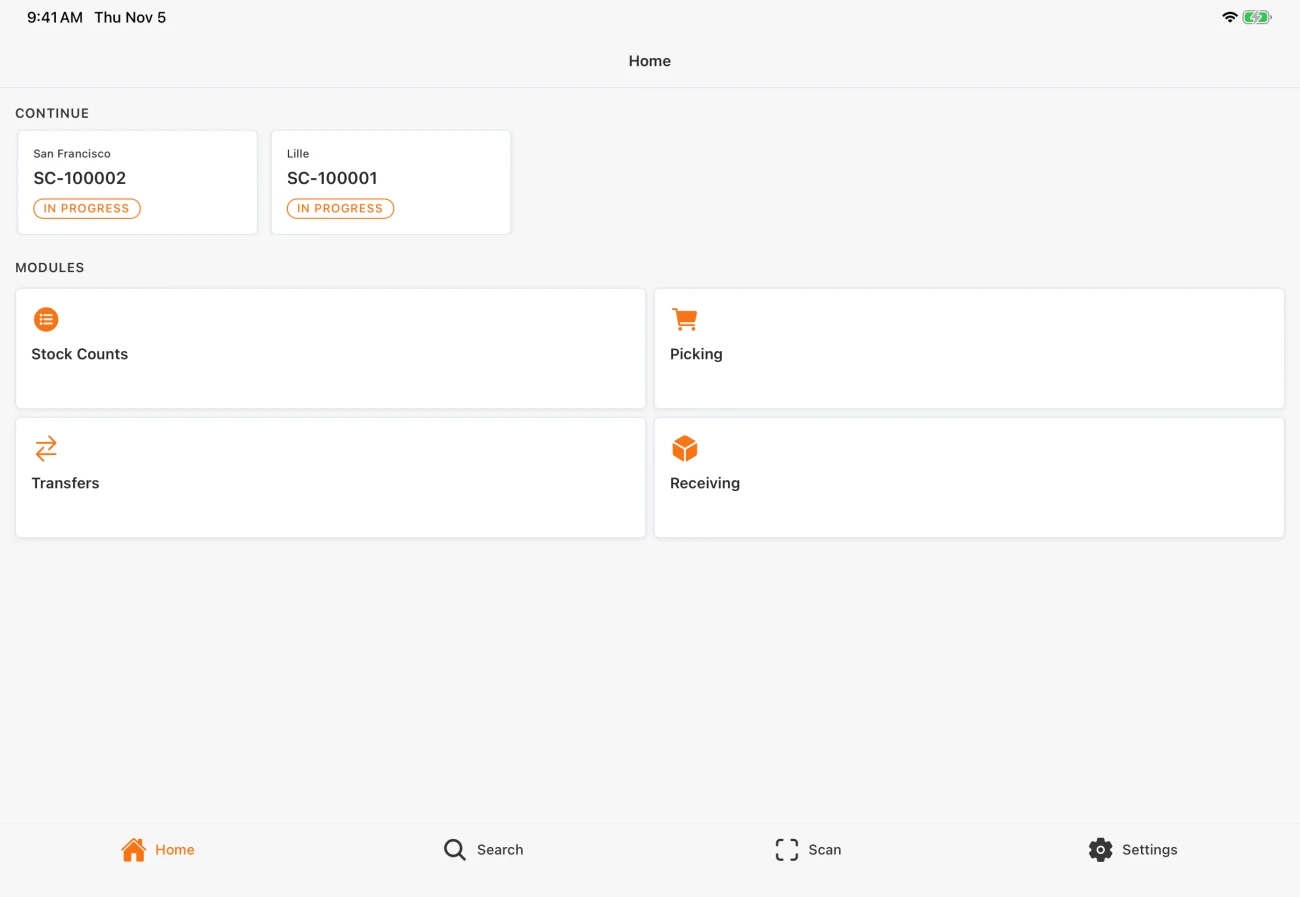
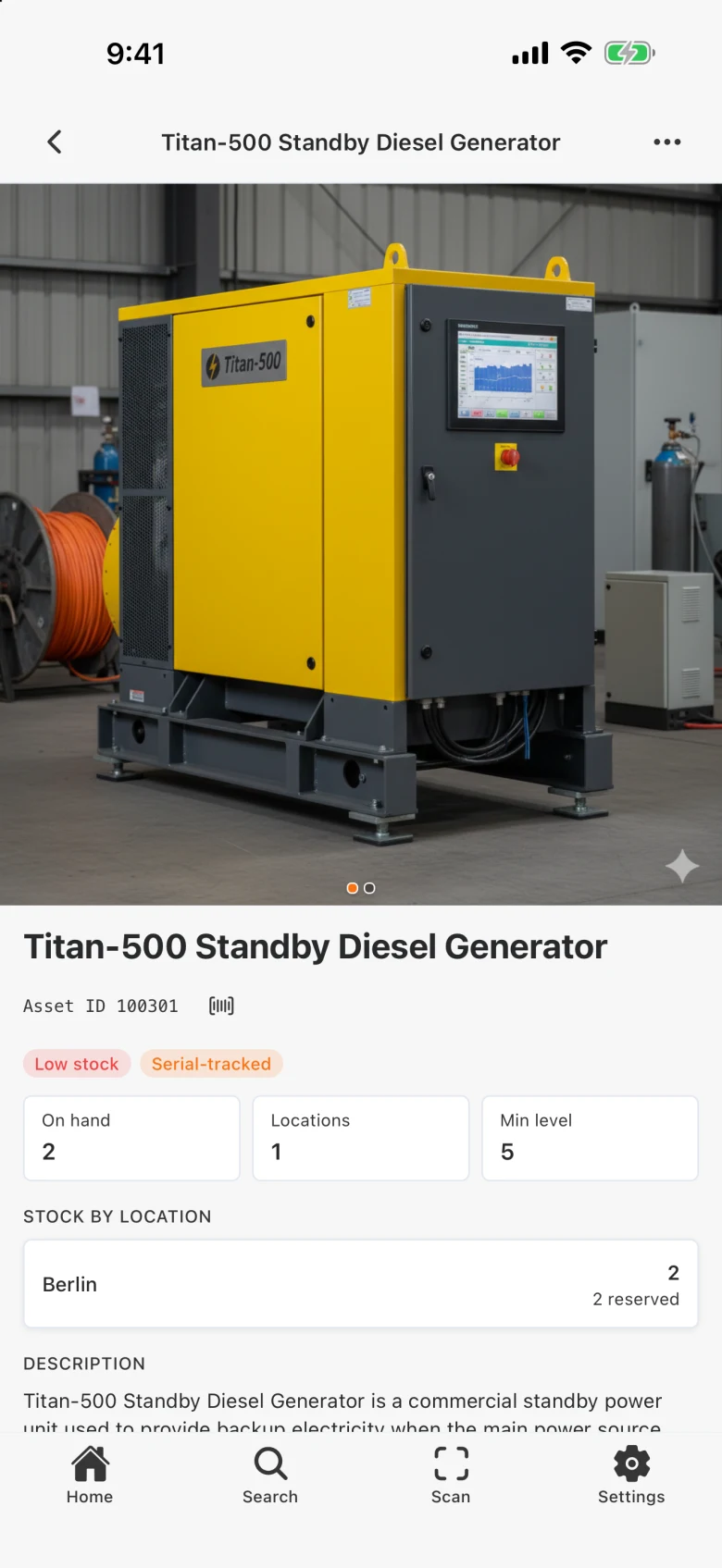
Use AssetBlaze in the browser on any computer or tablet, and take the iOS and Android app out to the shelves. Every screen shows the same live stock.
- Scan barcodes
- Look up any item
- Count stock
- Receive deliveries


Questions buyers ask
The getting started guide to inventory management
A free 28-page guide to keeping track of the supplies and materials your company orders and uses. We send it to your inbox.
- Pen and paper, a spreadsheet or software: which fits
- What to track on an inventory list
- Cycle counts, and how to make them quicker
- ABC analysis, reporting and low-stock alerts

Where should we send it?
Stocked & Loaded - From the Blog
Claude for Manufacturing - The most important thing a system can be is the source of truth
Discover how Claude for Manufacturing emphasizes the importance of a reliable source of truth in plant operations, ensuring accurate data for better decision-making.
Nov 14, 2026 · 4 min read
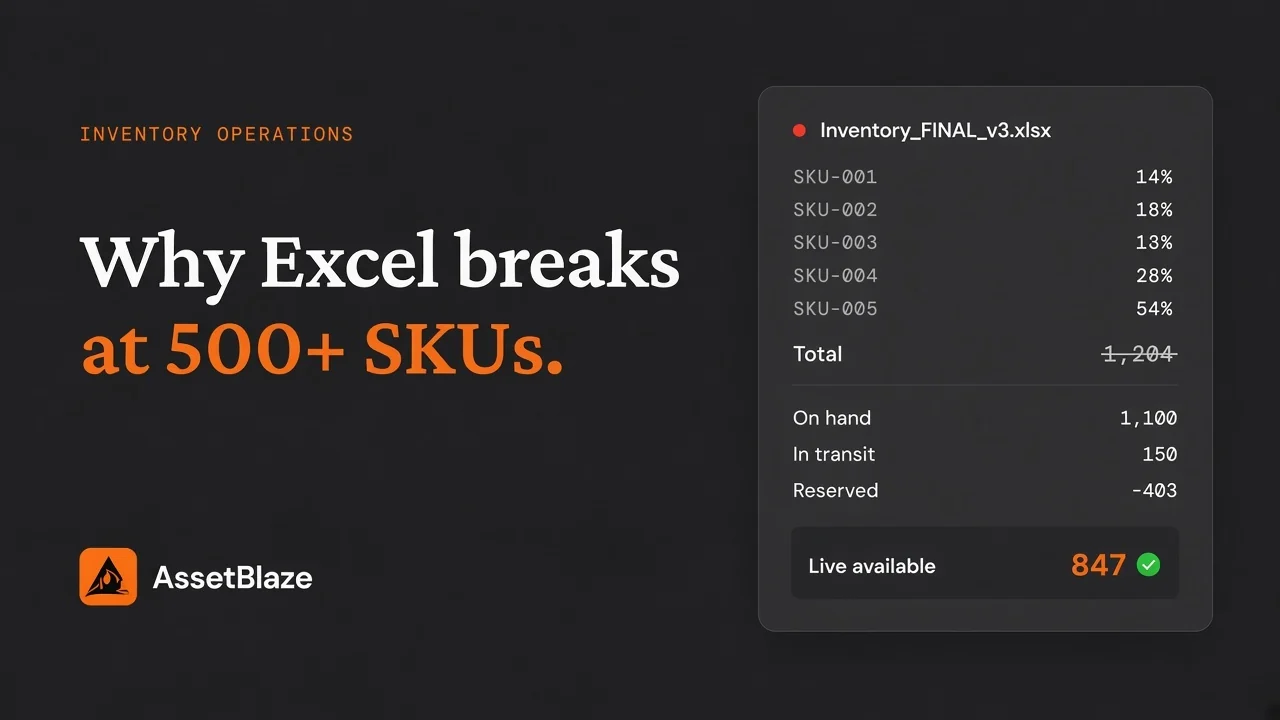
Why Excel Breaks at 500+ SKUs
Spreadsheets work until ~500 SKUs, a second warehouse, or concurrent edits. Why inventory Excel files fail, and what to use instead.
Nov 5, 2026 · 5 min read
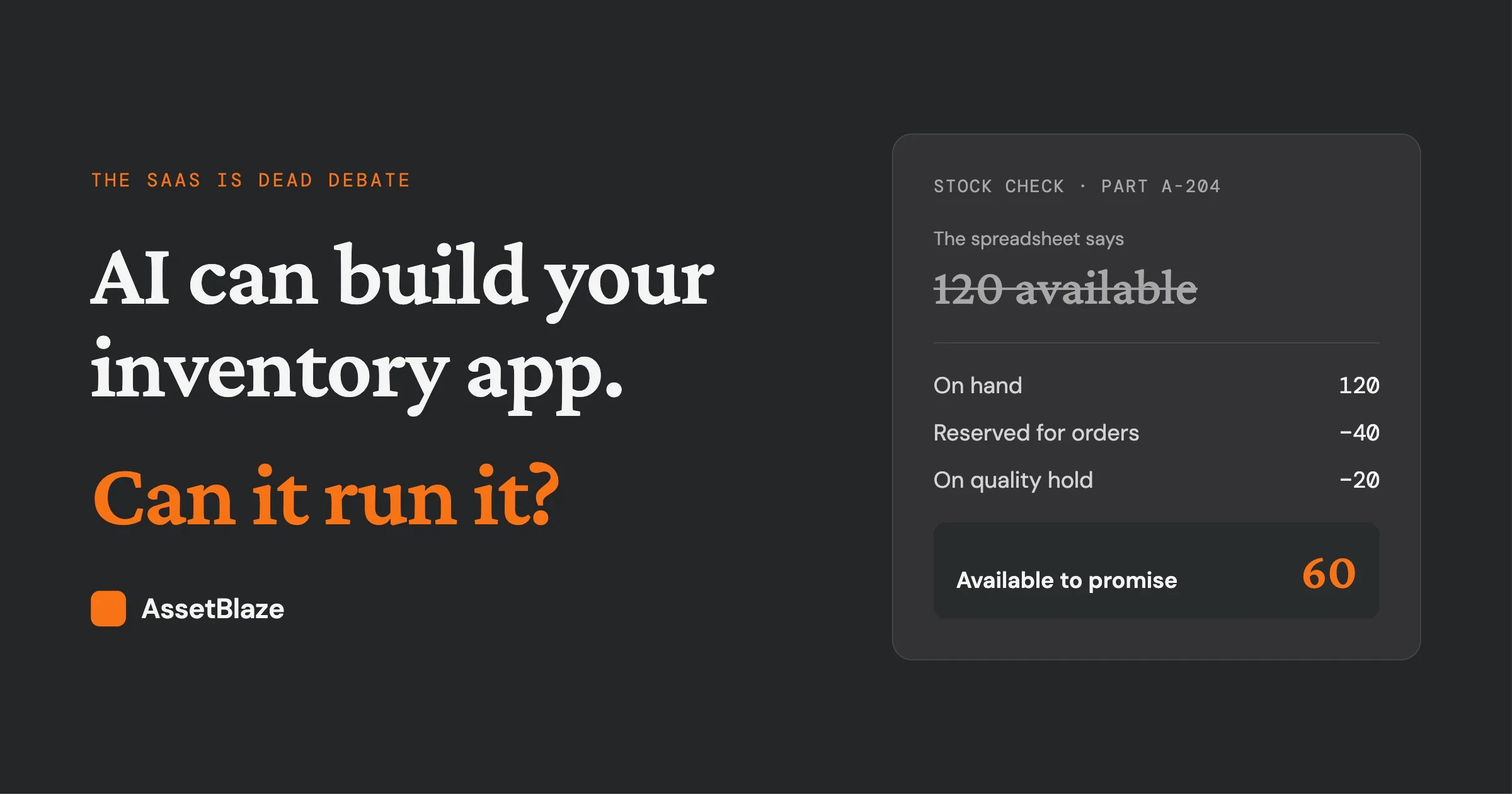
AI Can Build Your Inventory App. Can It Run It?
AI can build an inventory app fast. Running one — POs, warehouses, recalls, accounting — is the real job. What SAP's CTO gets right for distributors.
Oct 28, 2026 · 6 min read
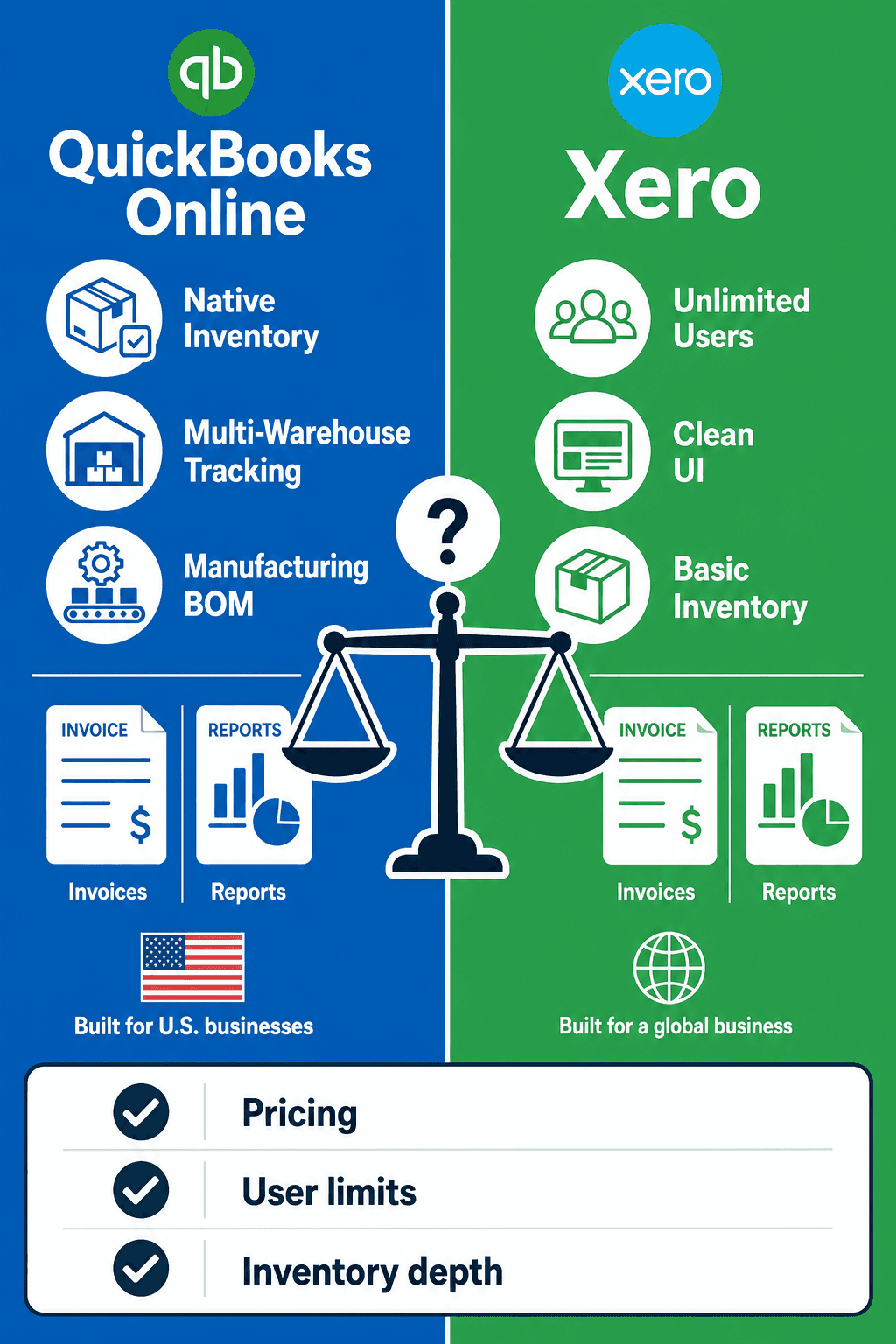
QuickBooks Online vs Xero: Which Wins When Inventory Gets Complex?
QuickBooks Online vs Xero: pricing, users, UI, inventory limits. See which fits wholesale and light manufacturing when stock gets complex.
Sep 12, 2026 · 15 min read
Try it on your own stock.
The free plan holds 50 items across 3 locations, which is enough to load a real section of your catalogue and see whether the count behaves the way you need it to.
Start freeNo card. No call required.

Or talk to us
Tell us what you are running now and we will tell you honestly whether this replaces it.